Module 2 / 2
Tools – platform, hotkeys and the DOM in practice
In day trading and scalping the platform is part of your edge. One second of delay, a wrong keyboard shortcut or a missing buy/sell button costs more than a bad analysis. This lesson standardises the technology setup and removes execution errors.
- Author
- Zordon Intelligence Sp. z o.o.
- Updated
- 5 min read
- Structure sources
- 2
In day trading and scalping the platform is part of your edge. One second of delay, a wrong keyboard shortcut or a missing buy/sell button costs more than a bad analysis. This lesson standardises the technology setup and removes execution errors.
Lesson goal
- Set out the minimum and the professional tool stack.
- Define hotkeys with safety guards.
- Configure the DOM and the charts so that a decision takes <2 sec.
- Measure slippage and latency as part of your costs.
Tool stack
| Element | Minimum (day trading) | Professional (scalping) | Why measure it |
|---|---|---|---|
| Platform | Broker + TradingView / MT5 | Sterling, DAS, ATAS, Sierra, Bookmap | Latency, slippage |
| Data | L1 (bid/ask + last) | Full-depth L2, Time & Sales with no delay | Whether you see the real orders |
| Charts | 1m, 5m, D, VWAP, volume | Footprint, DOM history, Delta | Confirming absorption |
| Hotkeys | Buy/sell market, close 100%, cancel all | + Add 25%/50%, stop BE, flatten, reverse | Reaction time |
| Recording | Trade screenshots | Kill zone screen recording | Review without guessing |
| Backup | Internet + a second broker | UPS, 2 connections, hotspot | Technology risk |
Rule: do not increase size until you have a recording of 20 trades and a slippage measurement.
Hotkeys – a setup that saves the account
Mandatory set:
Buy Market 100 shares / 1 contract – with a max size limit
Sell Market 100 shares / 1 contract
Close 50% of the position
Close 100% of the position (FLATTEN)
Cancel All Open Orders
Panic: Cancel All + Flatten (1 key)
Add: +25% only if the position is >1R – otherwise blocked
Safety guards:
Max position size per day = ... (hard limit in the platform)
Max daily loss auto-flatten = ... PLN
Max order size = ... (blocks the mistake of 1000 instead of 100)
DOM – practical settings
- Auto-center off, centre manually.
- Colour large orders >500 shares / >100 contracts.
- Turn on DOM history – you see where the liquidity that got eaten up had been resting.
- Show only 2-3 PLN / 20 ticks above/below.
- Stack total bid/ask volume.
- Never a stop market without a limit in a scalp – stop limit + offset of 2-3 ticks.
Charts – the kill zone layout
- D1 with PD_H/L, ATR, gap
- 5m with VWAP + OR High/Low + PM_H/L
- 1m with VWAP + footprint / volume
- DOM + Time & Sales
- Journal / position list + realised P&L
- Timer to the end of the kill zone and a daily R counter
Slippage and latency – measurement
Slippage_buy = Fill_price - Intended_price
Slippage_sell = Intended_price - Fill_price
Slippage_R = Slippage_PLN / Risk_PLN
Latency_order = Time_fill - Time_send (ms)
Target: <150ms for market, <300ms for limit| Order type | Slippage | Risk of no fill | When |
|---|---|---|---|
| Market | Large at the open | Low | Panic close, ORB breakout |
| Limit | Zero / negative | High | Absorption, VWAP bounce |
| Stop limit | Controlled | Medium | Scalp stop loss |
Start-of-day checklist (5 min)
- L2 data is there, T&S is ticking
- Hotkeys work on the demo, 1 trade
- Max loss set
- Recording on
- Second connection / hotspot ready
- Broker backup logged in
- Spread < limit
If one element does not work – you do not trade.
Emergency scenario – what if the platform goes down
A contingency plan on an A4 sheet next to the monitor:
1. Call the broker – no.: ... (write it down)
2. Close through the mobile app – login: ...
3. If that does not work – hedge through a second broker: correlated instrument ...
4. After closing – a 30 min break, do not re-enter out of emotion
Test it once a month: simulate a platform crash and measure the time to flat. Target <90 seconds.
Technology cost vs edge – an example
Per year: L2 data 1200 USD + platform 600 USD + Bookmap 600 USD = 2400 USD That is 200 USD / month of fixed costs = at a risk of 50 USD per trade you have to generate 4R a month just to cover the tools. If your Edge_net_R is 5R / month, 40% goes to the tools. Work out whether it is not cheaper to stay on 5m/VWAP without the DOM, with a lower but positive edge and lower costs.
Shortcut configuration – the DAS/ATAS example
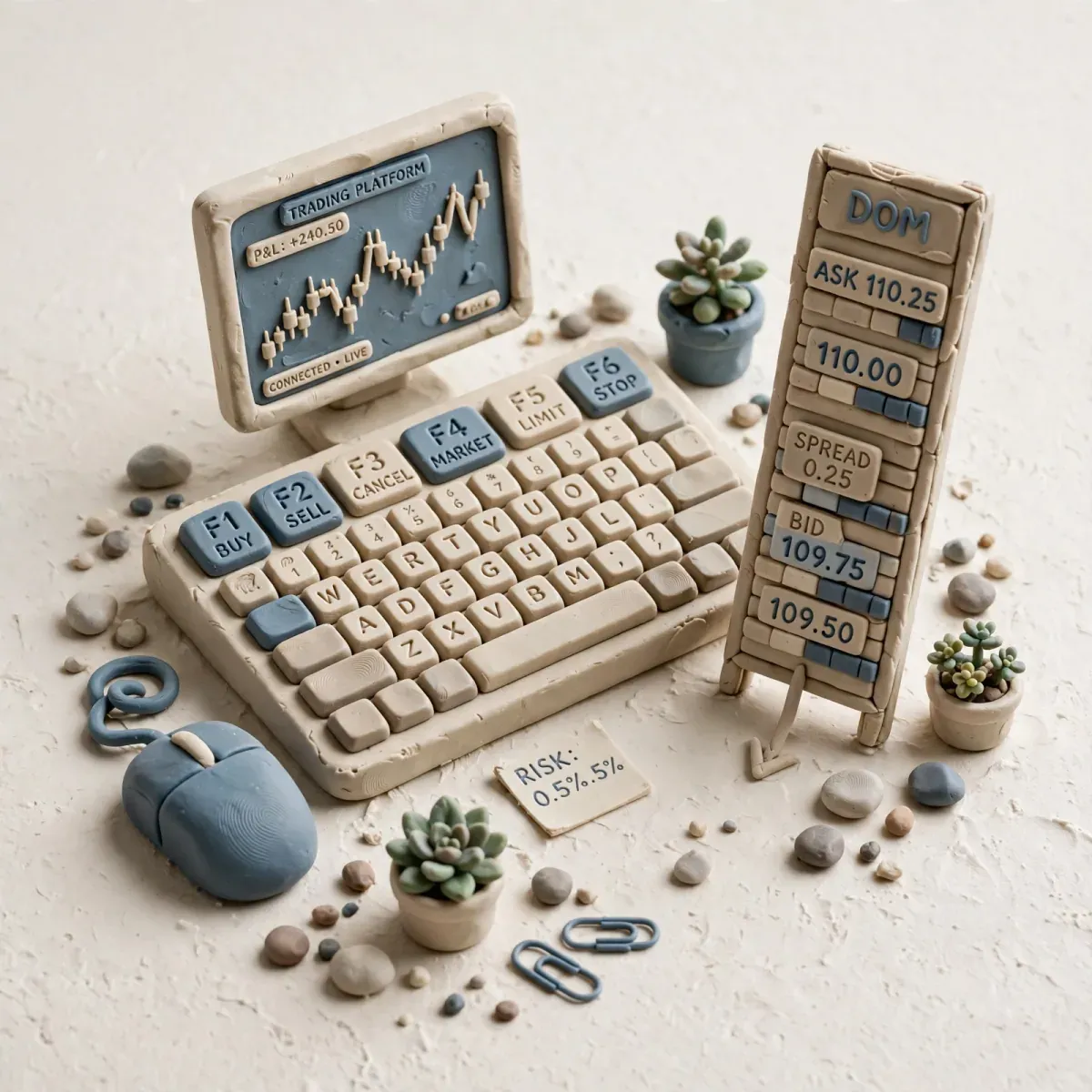
F1: Buy 100 shares limit +0.02
F2: Sell 100 shares limit -0.02
F3: Close 50%
F4: Close 100%
F5: Cancel All
F12: Panic – Cancel All + Flatten + Disable Trading 5 min
Ctrl+1: Add 25% only if position P&L >0
Keep every key physically far from the others – avoid F1/F2 next to each other if you mix up directions.
Recording checklist
After every session:
- Kill zone video saved
- Trade screenshots exported from the platform
- Slippage calculated
- Hotkey mistakes marked Missing any of them = an incomplete review.
When the plan says DO NOT TRADE
- Latency > 500ms or the platform freezes.
- DOM empty / T&S delayed.
- No auto-flatten on the daily limit.
- Hotkeys without a panic button.
- Public WiFi / weak LTE.
- No slippage test after a platform update.
The mistakes that cost the most
- Size typed in by hand – a typo of 1000 instead of 100. Hotkeys with a max size only.
- No Cancel All – you leave limit orders behind after you exit.
- 2 platforms, 2 accounts, 1 ticker – double risk.
- Trading without recording – you do not remember the reason for the entry.
- Ignoring platform costs – 100 USD/month is 1200 USD/year to be covered by edge.
Measurable exercise
Execution audit.
- 15 demo trades in the kill zone with hotkeys only.
- For each one: time from signal to send (sec), slippage in ticks, whether the hotkey was correct.
- Calculate the average slippage_R, the % of wrong hotkeys, the average reaction time.
- Define 2 improvements before the next session.
Test yourself
- Why must flat and cancel all be on 1 key rather than in a menu?
- What safeguard stops you from typing a size that is 10x too large?
- How does slippage on a market order differ from a limit order, and how will you measure it?
- Why DOM history if you have T&S?
Frequently asked questions
Do I need Bookmap for 150 USD? Not at the start of day trading. At the start of scalping – yes, because without the map you do not see absorption.
Sterling/DAS vs TradingView? TV for analysis, Sterling/DAS/Sierra for execution.
Can I trade from my phone? Not for scalping and ORB. The phone is only for an emergency close.
What computer is enough? 6+ cores, 16GB RAM, SSD, 2 monitors 24”+, a connection >50 Mbps, ping <60ms.
Technology is part of the strategy. Measure slippage and latency like P&L.
Advertisement
Key takeaways
- In day trading and scalping the platform is part of your edge. One second of delay, a wrong keyboard shortcut or a missing buy/sell button costs more than a bad analysis. This lesson standardises the technology setup and removes execution errors.
Structure sources
The material is based on source documents. Variable values — fees, limits, regulatory figures — are worth checking at the source before making a decision.
- Babypips — School of Pipsology — babypips.com
- TradingView — Pine Script documentation
Disclaimer
- Educational material. Not investment advice or a recommendation. Trading involves the risk of losing capital.
- The materials are educational. They are not investment advice or a recommendation within the meaning of financial instruments trading regulations. Numbers in examples are illustrative unless a measurement date and source are given.
Who writes this and how we check it
The materials are written and verified by Redakcja Kurs Tradera — the rules are described on about the site: every number has a source, and we show gaps openly. Report a factual error via contact — corrections are described in the content.
Progress is stored only in this browser (localStorage) — there is no account and no copy on the server. Clearing site data will remove it. Manage your data