Module 2 / 2
The Pro trader's stack and workflow
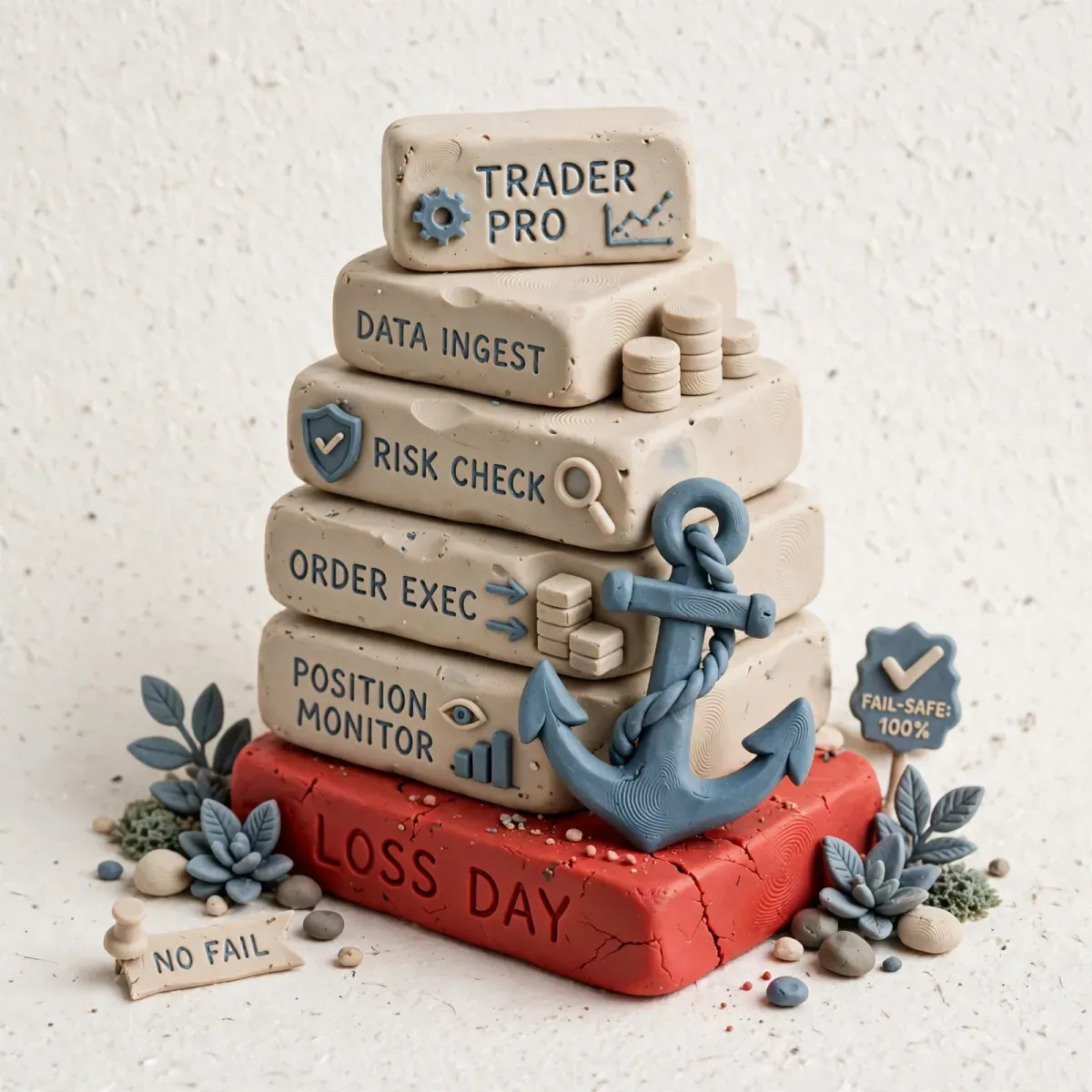
Tools on their own are toys. A stack and a workflow are a business. A Pro trader has no "favourite indicators" — he has a system that behaves the same at +3R as at -2R when his hands are shaking. This lesson merges the previous 5 lessons into one repeatable workflow: from weekend to weekend, with...
- Author
- Zordon Intelligence Sp. z o.o.
- Updated
- 10 min read
- Structure sources
- 2
Tools on their own are toys. A stack and a workflow are a business. A Pro trader has no “favourite indicators” — he has a system that behaves the same at +3R as at -2R when his hands are shaking. This lesson merges the previous 5 lessons into one repeatable workflow: from weekend to weekend, with checklists, automations and an emergency protocol.
Lesson goal
- Build a complete stack for 3 levels: Starter (account <10k), Active (day trading), Pro Scalp (futures).
- Define the D-1 (plan), D0 (execution), D+1 (review) workflow with time and ownership.
- Automate 70% of the routine: imports, alerts, backups, R calculation.
- Measure system reliability: uptime, Missed Setup Rate, Tool Cost per R.
- Prepare a failure protocol: internet, power, broker, tilt.
Stack architecture – 3 levels
| Layer | Starter (<10k, swing) | Active (10-25k, day) | Pro Scalp (>25k, futures) |
|---|---|---|---|
| HTF analysis | TradingView Free/Pro, 3 layouts | TV Pro Premium, 3 layouts + screener | TV Pro + Sierra HTF Volume Profile |
| Execution | Broker + TV | Broker + ATAS (cluster+DOM) | Sierra + Bookmap + ATAS |
| Data | Free delayed L1 | L2 from Rithmic/CQG $80 | MBO + full depth CME $120 |
| Calculator | Own Google Sheets | Sheets + platform hotkey for limits | Sheets + API size calc in Sierra |
| Journal | Edgewonk (one-off) | TraderSync + Edgewonk | TraderSync + Notion + Edgewonk |
| Recording | OBS 1080p, screenshot per fill | OBS + audio, replay buffer | OBS NVENC + 2nd PC recorder |
| Internet backup | Phone hotspot | 2 links + hotspot + UPS 500VA | 2 fibre links + 4G router + UPS 1500VA + VPS |
| Cost / month* | ~$15-20 | ~$180-220 | ~$350-400 |
| Minimum edge to cover it | 3R @50 PLN | 35R @80 PLN | 70R @80 PLN |
*Excluding commissions, tools only.
Selection rule: You start on Starter. You move to Active when you have 3 months of Expectancy >0.2R and Execution >80%. You move to Pro when you have 12 months of Edge_net >0 after Active-level costs. Not the other way round.
Workflow – 3 phases
Phase D-1 – Plan (18:00-18:30, Sunday-Thursday)
18:00-18:05: TradingView Daily layout – check A-List 12, update the bias
18:05-18:15: Screener Daily – export to B-List, pick 5-8 for tomorrow, set a maximum of 8 alerts
18:15-18:20: Calculator – enter 1R in PLN for tomorrow (e.g. 100 PLN), daily max -2R, max open risk
18:20-18:25: Notion – page "Plan D+1": 3 tickers, setup per ticker, killzone, invalidation, link to the chart
18:25-18:30: Checklist: data, backup broker logged in, OBS auto-start, hotkeys, test 1 demo trade
Result: 1 A4 page of plan, 0 decisions in the morning.
D+1 plan template (Notion):
| Ticker | Setup | HTF bias | Entry conditions | Technical SL | Invalidation | Killzone | R | Max spread |
|---|---|---|---|---|---|---|---|---|
| AAPL | VWAP Pullback 5m | Long D1>MA50 | Close above VWAP + vol 1.5x | Swing low M5 | Close below VWAP -0.2% | NY AM 15:30-17:00 | 1R 100 PLN | $0.10 |
| ES | ORB H1 | Range | Break OR High + delta pos | OR Low | OR Low break | 15:30-16:30 | 1R $80 | 1 tick |
Phase D0 – Execution (killzone only, max 3h)
T-10 min: Start checklist (from Lesson 2): L2 data OK, latency <150ms, recording F9, daily loss set
T0: Trade only the A-List and only setups from the D+1 plan. Zero new tickers during the KZ.
During the session: After every trade 1 min of journal + F11 replay buffer if C-quality.
Limit: Max 3 trades per KZ, max 4 per day – anything above that is overtrading, not opportunity.
T+3h: Flatten everything, F10 stop recording, 5-min EOD review, do not trade outside the killzone.
Intraday decision ladder:
Am I inside the killzone? No → I do not trade, I only observe.
Is the ticker on the A-List from the plan? No → I do not trade.
Has the setup from the playbook appeared? No → I do not trade.
Are the spread and latency OK? No → I do not trade.
Has the daily -2R limit been hit? Yes → OFF, no "just one more".
Yes to all of the above → calculate the size with the calculator, enter only limit/market as per the plan.
Phase D+1 Review – EOD + weekend
EOD 10 min (after the session):
- Close the journal, Execution Score, Tilt Score, link to the video
- Write 1 sentence: what worked / what did not – max 2 sentences

Weekend 60-90 min:
- 0-15m: Metrics: weekly P&L_R, Expectancy per setup, Mistake_Cost_R, Execution_Score avg
- 15-35m: Watch 2 C-quality clips (max 20 min), identify 1 trigger
- 35-50m: Decisions: 1 setup to Scale/Keep/Kill, 1 rule to add/remove, 1 tool to downgrade/upgrade
- 50-60m: Plan for next week: A-List rotation max 2, 3 main setups, 1 physical block
- Backup: CSV export, Notion backup, check that recording storage is >20% free space
Automations that save 3h a week
| What to automate | How | Tool | Setup time | Weekly saving |
|---|---|---|---|---|
| Trade import from the broker | CSV auto-sync every evening | TraderSync auto + Make.com | 30 min | 40 min |
| Alert when daily -2R | Auto-flatten + email/SMS | Platform (Sierra/ATAS) max loss + IFTTT | 15 min | Prevents tilt >2R |
| Recording backup to Drive | Auto-upload of the TradingRecordings folder | Rclone / Drive Desktop | 20 min | 30 min |
| Expectancy calculation | Formulas in Edgewonk + Notion rollup | Edgewonk + Notion template | 60 min (once) | 60 min |
| Checklist reminder | Pop-up 5 min before the KZ | Google Calendar + phone | 10 min | Eliminates forgetting |
| Size calculator in 1 click | Desktop shortcut + QR | Google Sheets App + hotkey | 15 min | 15 min |
Workflow reliability formula:
Uptime_System = Days_with_a_recording_and_a_closed_journal / All_trading_days *100%
Target: >95%. If <90% – the system is broken, not the strategy.

Missed_Setup_Rate = Setups_from_the_plan_that_appeared_and_you_did_not_take / All_setups_from_the_plan
Interpretation: If >30% – either the plan is unrealistic, or it is fear/hesitation, see Hesitation Time.

Tool_Cost_per_R = Monthly_tool_costs_PLN / Sum_of_R_per_month
Target: <25%. If >40% – downgrade the stack.
Emergency protocol – an A4 sheet next to the monitor
EMERGENCY PROTOCOL – FILL IN AND PRINT

1. The internet went down:
   - Phone hotspot: SSID ...., password ....
   - Second router: login ....
   - If both are down: Call the broker tel: ...., close positions, 30 min break

2. The power went down:
   - UPS runtime 15 min – during that time flatten through the mobile app
   - Mobile broker app login: ....
   - After the power comes back: 30 min break, do not re-enter immediately

3. Platform freeze / broker offline:
   - Backup broker: ...., correlating ticker ....
   - Hedging: if long ES, short MES / SPY as a temporary hedge
   - Broker phone: ....

4. Tilt / emotions:
   - If Tilt Score >0.3 or 2 losses in a row <15 min – F10 stop recording, stand up, 10 min walk
   - Auto-lock: the platform blocks trading for 30 min after a daily -2R
   - Person to call / accountability: ....

5. Data backup:
   - Where the recordings are: D:\...
   - Where the CSV is: Drive\...
   - Last backup: ....

Test: Once a month simulate 1 failure and measure the time to flat. Target <90s.
Minimum vs maximum workflow – anti-complexity
| Symptom of over-engineering | Fix |
|---|---|
| 12 indicators, 3 platforms open, 2 live screeners during the KZ | Close everything except 1 execution chart and the DOM. Screeners only before the KZ. |
| 45 active alerts | Limit of 12, the rest deleted every day |
| Journal 30 min per trade | 1 min per trade, 10 min EOD, full stop |
| 4h of recording a day | Max 3h, only the KZ, the rest OFF |
| 5 system changes a week | 1 change a week, at the weekend, after at least 30 trades of data |
The KursTradera rule: the system has to be boring. A boring system is repeatable. An exciting system is random.
Scaling the workflow with the account
Account <10k: 1 KZ a day (e.g. NY AM), 1-2 positions, Starter stack, 3h max screen time
Account 10-25k: 1-2 KZ, max 3 trades, Active stack, 4h screen time, 1 day a week OFF trading (review only)
Account >25k: 2 KZ, max 4 trades, Pro stack, 4-5h screen time, 1 day OFF + 1 day for simulation/testing only
Every account: 1 day a month without trading, only an audit of Tool Cost per R and Uptime
If you grow the account, you do not grow screen time. You grow execution quality.
When the plan says DO NOT TRADE
- Uptime_System <90% in the last week – the system is leaking, fix it first, do not trade.
- Tool_Cost_per_R >40% for 2 months – the tools are eating your edge, downgrade.
- You do not have a filled-in Emergency Protocol sheet next to the monitor – you do not trade until you print it.
- You have >4 active KZ in the plan – too many, narrow it to 2.
- You did not run the weekend backup and you have <10% disk space left – risk of data loss, you do not trade until you free up space.
- After a failure (internet, power, tilt) you did not take the 30 min break – the plan requires a break, not an immediate re-entry.
Mistakes that cost the most
- The stack grows, expectancy stalls: You add Bookmap, ATAS, Sierra, and P&L_R does not move. You pay $400/month for decoration. Measure Edge_net quarterly and cut.
- The workflow lives only in your head: You have no D-1/D0/D+1 checklist. On a losing day you improvise. Checklists on an A4 sheet, not in memory.
- Automation without an audit: Auto-import works, but you do not tag the Mistake. You have data, but no causes. Automate the import, not the tagging.
- No day OFF: You trade 5 days a week with no day for review only. Burnout plus no time to kill a setup. At least 1 day OFF trading a week.
- Untested emergency protocol: You have a hotspot, but you never switched to it while in a position. When the internet dies, you panic. Test it once a month.
Measurable exercise
Rolling out the stack and the workflow – 30 days.
- Day 1: Pick your level (Starter/Active/Pro). Calculate Tool_Cost_per_R for the last month (estimate it if you have no data). Decide: do you stay, or do you downgrade/upgrade.
- Day 1-2: Build the D-1, D0 and D+1 checklists, one A4 page each. Print them. Fill in the Emergency Protocol and stick it next to the monitor.
- Day 3-30: Trade according to the 3-phase workflow. Measure every day:
- Did you do the D-1 plan? Yes/No
- Uptime_System (recording + closed journal)
- Missed Setup Rate
- Number of trading KZ (target max 2)
- Weekend 1-4: Calculate the metrics: Expectancy per setup, Tool_Cost_per_R, Execution Score avg, Tilt Score avg.
- Day 30: Decision – 1 tool to remove, 1 to add, 1 workflow rule to change. Report: “My stack costs X PLN per R, my uptime is Y%, my workflow is boring and repeatable: Yes/No”.
Check yourself
- Compare Starter vs Pro Scalp: what are the cost differences and at what Edge_net does the move make sense?
- Sketch (in words) the D-1/D0/D+1 workflow with times and a checklist. How many hours a week does it take?
- You have Tool_Cost_per_R = 45%. What does your plan say and what action do you take?
- Describe the internet and tilt failure protocol – what exactly do you do, step by step?
- Why should the system be boring, and how do you measure whether the workflow is repeatable (Uptime, Missed Setup)?
Frequently asked questions
Can I run the Active stack on a 5k account? You can, but the ROI is negative. At 5k and 0.5% risk = 25 PLN per 1R, costs of 800 PLN = 32R. You have to generate 32R just to pay for the tools. Start with Starter and scale on results, not on dreams.
How many KZ a day? Max 2. The best traders use 1. More KZ means more fatigue and lower quality. The limit is a feature, not a bug.
Does the workflow work if you have a day job? Yes – then D-1 is 30 min in the evening, D0 is 1 KZ in the morning or after work (e.g. only NY AM 15:30-17:30), the rest OFF. You do not have to be full-time to have a Pro workflow.
What if I do not have a UPS? Buy the cheapest 500VA for 200 PLN. It is insurance against losing 2R to a power cut. The ROI comes in a single failure.
How often should you change the stack? Once a quarter at most. More frequent changes are an excuse to avoid collecting data. 1 change = at least 100 post-change trades to evaluate it.
A Pro trader is not the one with the most indicators. It is the one whose system behaves the same on Monday at 15:30 at +2R and on Friday at 17:00 at -2R. Boredom is the edge.
Advertisement
Key takeaways
- Tools on their own are toys. A stack and a workflow are a business. A Pro trader has no "favourite indicators" — he has a system that behaves the same at +3R as at -2R when his hands are shaking. This lesson merges the previous 5 lessons into one repeatable workflow: from weekend to weekend, with...
Structure sources
The material is based on source documents. Variable values — fees, limits, regulatory figures — are worth checking at the source before making a decision.
- TradingView — platform documentation
- Bookmap / ATAS / Sierra Chart — docs
Disclaimer
- Educational material. Not investment advice or a recommendation. Trading involves the risk of losing capital.
- The materials are educational. They are not investment advice or a recommendation within the meaning of financial instruments trading regulations. Numbers in examples are illustrative unless a measurement date and source are given.
Who writes this and how we check it
The materials are written and verified by Redakcja Kurs Tradera — the rules are described on about the site: every number has a source, and we show gaps openly. Report a factual error via contact — corrections are described in the content.
Progress is stored only in this browser (localStorage) — there is no account and no copy on the server. Clearing site data will remove it. Manage your data